
Download KeyExtender – Customize Keyboard Layout, Enhance Productivity & Gaming Experience
KeyExtender is a powerful Windows software that transforms your standard keyboard into a highly customizable, multifunctional tool. Whether you're a professional, gamer, or casual user, KeyExtender lets you redefine key functions to suit your workflow. Easily remap keys, assign complex shortcuts, automate repetitive tasks, and even disable unwanted keys. With support for advanced macros and system commands, this free tool enhances comfort, efficiency, and control—without requiring expensive hardware upgrades. Download KeyExtender today and unlock the full potential of your keyboard.
Revolutionize Your Keyboard Experience with KeyExtender
KeyExtender stands out in the crowded field of keyboard customization tools by offering an intuitive yet powerful platform for remapping and extending key functionality on Windows systems. Unlike basic keyboard remapping utilities, KeyExtender goes beyond simple key swaps—it allows users to assign complex actions to single keys, including multi-key combinations, text snippets, system commands, and even drive ejection. This makes it ideal for both productivity and gaming environments where speed and precision matter.
Imagine pressing a single key to execute Ctrl+V for pasting text, or using the F6 key to insert your frequently used email signature. With KeyExtender, these tasks become effortless. The software is designed with user-friendliness in mind, featuring a clean interface that guides you through the remapping process without requiring technical expertise. Whether you're converting a standard 102-key keyboard into a gaming powerhouse or streamlining your workflow with custom shortcuts, KeyExtender adapts to your needs.
One of the most compelling features is the ability to lock the keyboard temporarily, preventing accidental inputs—perfect for presentations or when you need to pause typing. Additionally, users can disable keys they find distracting, such as the NumLock or ScrollLock keys, which often trigger unintended actions. By giving you full control over every key, KeyExtender not only improves comfort but also reduces strain and errors over long work sessions. It’s a secure, lightweight, and reliable tool that enhances your daily computing experience with minimal setup.
Powerful Features That Boost Efficiency and Customization
KeyExtender delivers a robust set of features that cater to a wide range of users—from office workers to hardcore gamers and developers. The core functionality revolves around key remapping and macro creation, but it extends far beyond that. With support for custom text insertion, users can assign frequently typed phrases (like email addresses, passwords, or boilerplate content) to specific keys. This dramatically speeds up repetitive typing tasks and reduces the risk of typos.
Another standout feature is the ability to assign multi-key shortcuts to a single key press. For example, you can reconfigure the Tab key to perform Ctrl+Shift+Tab, or set the Insert key to trigger Win+R for quick Run dialog access. This level of customization is especially beneficial for gamers who need rapid access to in-game commands or for professionals using complex software like Adobe Creative Suite or AutoCAD.
KeyExtender also supports system-level commands, such as ejecting a CD-ROM drive with the F9 key or locking the keyboard with a dedicated hotkey. These small but impactful features save time and improve workflow efficiency. The software runs in the background with minimal resource usage, ensuring it doesn’t slow down your system. Additionally, it’s compatible with both USB and PS/2 keyboards, making it versatile across different hardware setups. With regular updates and a responsive development team, KeyExtender continues to evolve, offering users a secure and future-proof solution for keyboard optimization.
Easy Installation, Seamless Usage Across Windows Devices
Getting started with KeyExtender is straightforward and hassle-free. The software is available as a free download for Windows systems, including Windows 10 and Windows 11. After downloading the installer from the official website, simply run the file and follow the on-screen instructions. The setup process takes less than a minute and requires no advanced configuration. Once installed, KeyExtender runs silently in the system tray, ready to be accessed at any time.
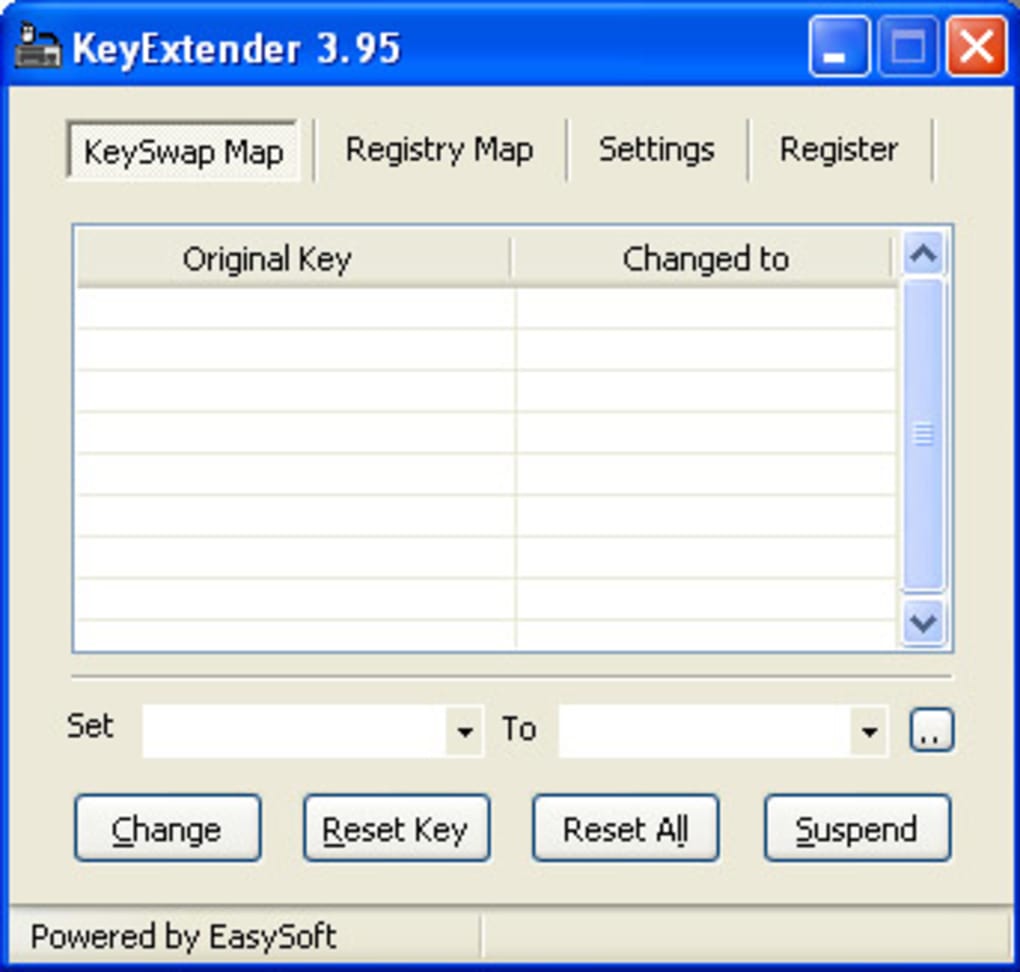
To begin customizing your keyboard, launch the application and navigate to the “Key Mapping” tab. Here, you’ll find a comprehensive list of all keys on your keyboard. Select the key you want to modify, then choose your desired action from a dropdown menu. Options include “Send Key,” “Send Text,” “Send Key Sequence,” “Run Command,” and “Lock Keyboard.” For advanced users, the macro editor allows you to create complex sequences with delays, conditional logic, and loop functions.
After configuring your settings, click “Save” to apply them. The changes take effect immediately, and you can test your new key assignments right away. The software also includes a “Reset” option to restore default key behavior at any time.
For users who prefer a more visual approach, KeyExtender offers a real-time preview of key mappings. This ensures you don’t accidentally remap a critical key. With its intuitive design and responsive interface, KeyExtender makes keyboard customization accessible to users of all skill levels.
Compatibility, Pros, and Cons: A Balanced View
KeyExtender is designed exclusively for Windows operating systems, supporting Windows 7, 8, 10, and 11. It works seamlessly with both standard and ergonomic keyboards, including those with function key overlays or multimedia keys. The software is compatible with both 32-bit and 64-bit versions of Windows, ensuring broad accessibility across different hardware configurations.
Pros:
- Free to download and use with no hidden costs
- Lightweight and runs efficiently in the background
- Intuitive interface suitable for beginners and experts alike
- Supports advanced macros and system commands
- Allows key locking and disabling for enhanced control
- Regular updates and strong community support
Cons:
- Exclusive to Windows—no Mac, iOS, or Android support
- Limited advanced scripting compared to professional tools
- No built-in backup/export feature for configurations
- Some users report minor conflicts with certain antivirus software
Frequently Asked Questions (FAQ)
Is KeyExtender free to download and use?
Yes, KeyExtender is completely free to download and use. There are no trial limitations or paid upgrades required to access its core features. The software is supported by ads, but they do not interfere with functionality.
Can I use KeyExtender on Windows 11?
Absolutely. KeyExtender is fully compatible with Windows 11 and has been tested to work seamlessly on the latest updates. It supports all standard keyboard layouts and function keys.
Does KeyExtender work with gaming keyboards?
Yes, KeyExtender works with most gaming keyboards, including those with programmable keys. It can remap keys regardless of whether they are standard or custom-built, giving you full control over your input device.
Can I disable specific keys using KeyExtender?
Yes, one of the key features of KeyExtender is the ability to disable unwanted keys. You can block keys like NumLock, ScrollLock, or even Ctrl and Alt if needed, preventing accidental presses during work or gaming.
How do I restore default key settings?
You can restore default key behavior by selecting the “Reset” option in the KeyExtender settings. This will revert all custom mappings to their original functions instantly.
Final Thoughts: Why You Should Download KeyExtender Today
If you're looking to maximize your keyboard's potential without spending a fortune on a new mechanical or programmable model, KeyExtender is the perfect solution. This free, secure, and easy-to-use tool empowers you to customize every key, automate repetitive tasks, and enhance your overall productivity and gaming experience. Whether you're a student, professional, or gamer, KeyExtender adapts to your workflow and makes your keyboard work smarter—not harder.
With its intuitive interface, robust feature set, and ongoing updates, KeyExtender stands out as one of the best free keyboard customization tools available for Windows. It’s lightweight, reliable, and designed with real-world use in mind. Don’t miss out on the chance to transform your standard keyboard into a powerful, personalized input device. Download KeyExtender now and unlock a new level of efficiency and comfort.
TechReviewPro 2025-04-05 KeyExtender delivers exceptional value for a free tool. Its ease of use, extensive customization options, and solid performance make it a must-have for Windows users.






